Table of Contents
- What Is Secure Data Destruction?
- Why Secure Data Destruction Matters (Risk, Compliance And Reputation)
- Secure Data Destruction Methods Explained
- Which Method Should You Use? (Quick Decision Guide)
- Secure Data Destruction For Different Media Types
- What Does A Secure Data Destruction Process Look Like?
- Standards And Assurances To Look For
- Common Myths And Mistakes (And What To Do Instead)
- Frequently Asked Questions
- Fun Fact: Why A Factory Reset Can Be Misleading
- Next Steps: How To Choose A Secure Data Destruction Provider
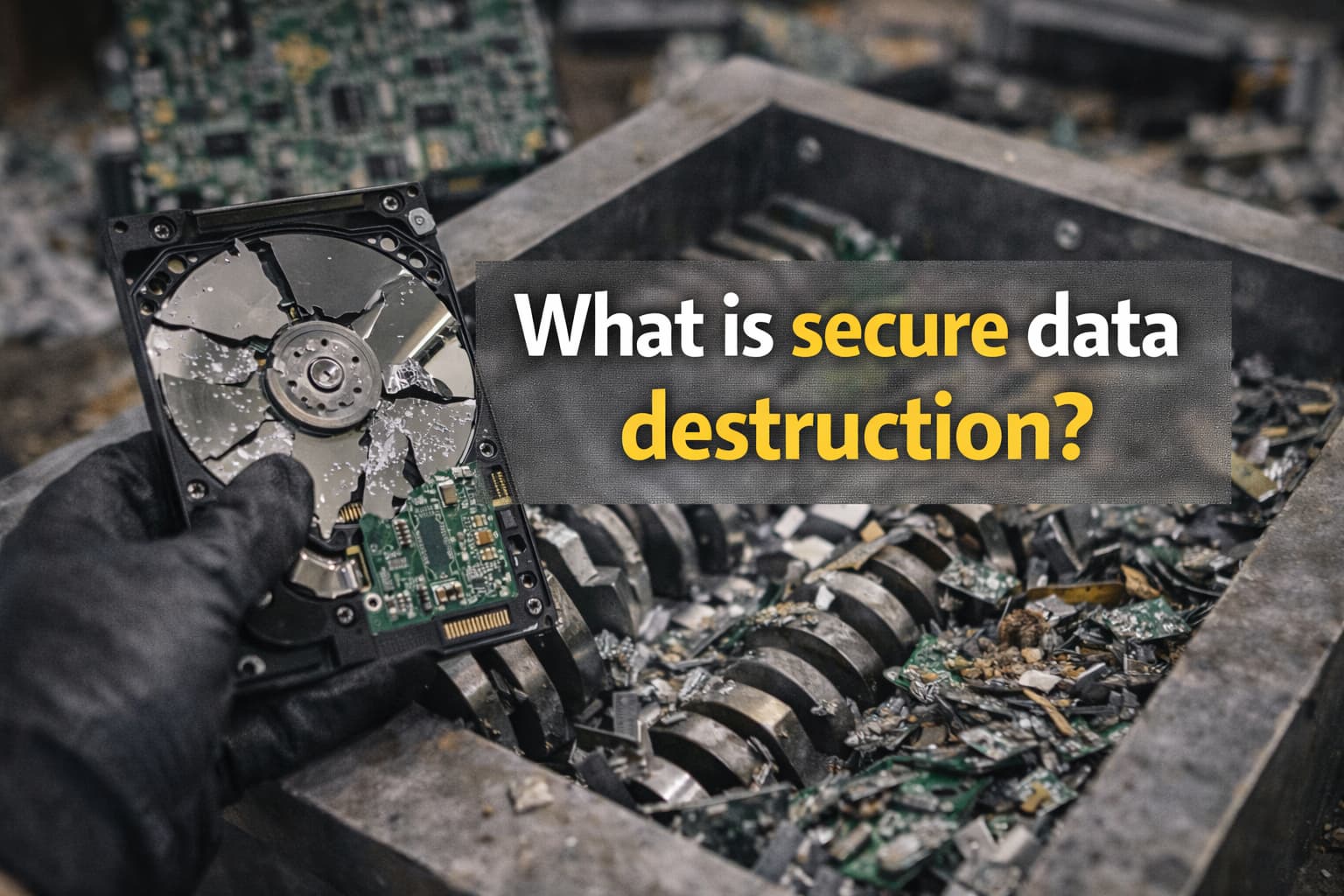
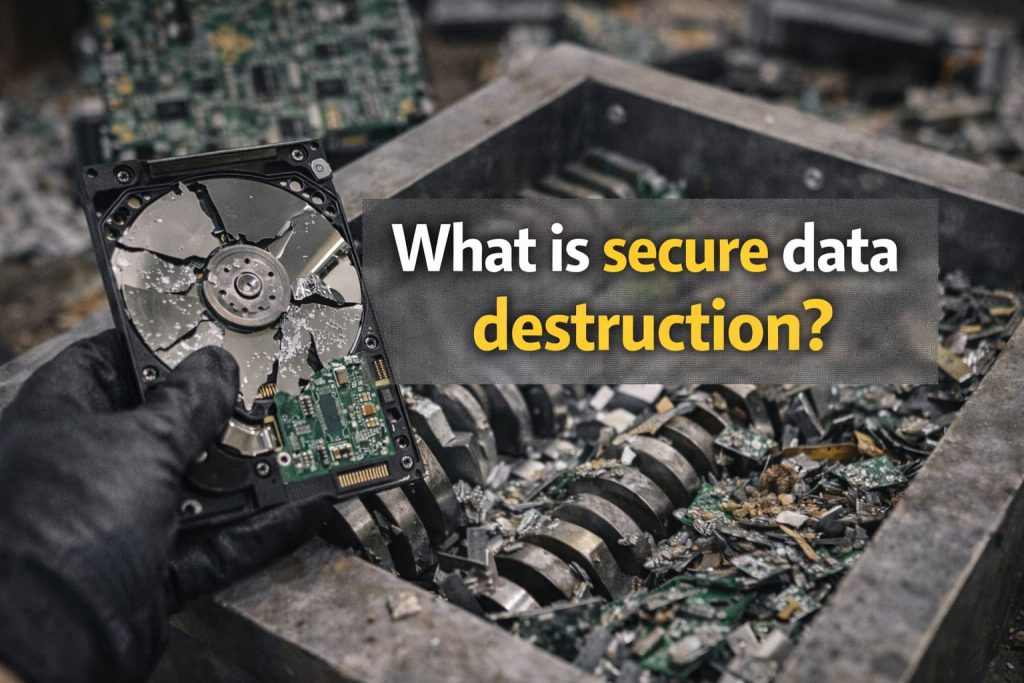
Secure data destruction is the verified process of permanently removing or physically destroying data so it cannot be recovered. It usually involves approved data wiping for reusable devices, or physical destruction (such as shredding or degaussing) for end-of-life media. It should also include a clear chain of custody and a Certificate of Destruction to support UK compliance and reduce breach risk.
Whether you are clearing old laptops, retiring servers, or arranging IT recycling, secure data destruction comes down to two things: Making the data irretrievable and proving you did it. This guide explains the main methods, when to use each, and what evidence to ask for. It also covers practical notes for HDDs, SSDs, mobiles, tapes, and more.
What Is Secure Data Destruction?
Secure data destruction (also called secure data disposal or data sanitisation) is a controlled process that ensures information stored on devices and media cannot be recovered. This should hold true for standard tools and specialist forensic techniques.
It usually includes:
- A Suitable Destruction Or Erasure Method: For example, verified data wiping for reuse, or physical destruction for end-of-life media.
- Documented Handling Controls: Such as secure collection, controlled access, and a logged chain of custody.
- Verification and Reporting: Evidence that the wipe succeeded or the media was destroyed.
- A Certificate of Destruction: A formal record you can file for audits and compliance.
If you need a service that combines secure erasure with responsible recycling, see Green Retech Recycling secure data destruction and related IT asset disposal (ITAD) options.
Why Secure Data Destruction Matters (Risk, Compliance And Reputation)
Data Breach Risks From Reused Or Discarded Devices
Data risk does not end when a device leaves the desk. Old assets can still contain:
- Personal Data: Customer records, staff details, ID documents, photos, and email.
- Commercial Data: Contracts, pricing, designs, source code, credentials, and internal documents.
- Access Paths: Saved passwords, browser sessions, VPN profiles, SSH keys, and API tokens.
Common breach scenarios include reselling equipment with recoverable data, disposing of devices via general waste, or relying on a quick reset without verification.
UK Compliance Basics (UK GDPR, Data Protection Act 2018) In Plain English
Under UK data protection law, organisations must protect personal data throughout its lifecycle, including when equipment is retired. In practice, this means you should be able to show appropriate security and accountability for disposal and destruction.
Useful starting points include:
- UK GDPR Guidance: The Information Commissioner’s Office (ICO) UK GDPR guidance explains security responsibilities and accountability.
- Cyber Security Best Practice: The National Cyber Security Centre (NCSC) provides UK guidance on reducing cyber risk, including secure handling practices.
Secure destruction helps you show you took reasonable steps to prevent unauthorised access. This is especially important when devices contain sensitive personal data, health information, financial records, or confidential business data.
Secure Data Destruction Methods Explained
The right method depends on your goal, reuse versus irreversible destruction. It also depends on the media type (HDD, SSD, tape, or mobile) and the risk level.
Data Wiping And Sanitisation (Software Overwrite And Verification)
Data wiping uses software to securely erase storage, then validates the result. For many organisations, verified wiping is the best fit when devices will be reused, redeployed, or resold.
What good wiping looks like:
- Identifies The Media Correctly: Model, serial number, capacity, interface, and health are recorded.
- Runs An Approved Erasure Routine: Appropriate for the device type, especially SSDs.
- Verifies the Outcome: A pass or fail result is produced and stored with the asset record.
- Handles Exceptions: If a wipe fails, the media is quarantined and moved to physical destruction.
If you are preparing equipment for reuse or recycling, this guide to clearing an old computer before recycling explains the practical next steps.
Cryptographic Erase (Where It Fits And Limitations)
Cryptographic erase makes data unreadable by destroying the encryption keys that protect it. It can be effective when full-disk encryption is in place and key management is strong.
Limitations to keep in mind:
- Depends on Correct Encryption: If encryption was not enabled, or keys were poorly managed, cryptographic erase may not achieve the intended result.
- Verification Still Matters: You still need reporting that shows the device state and the action taken.
- Not Always Suitable For High-Risk End-Of-Life Media: In some cases, physical destruction is preferred for maximum assurance.
Degaussing (What It Is And What It Works On)
Degaussing uses a strong magnetic field to disrupt the magnetic domains on magnetic media. It is typically used for certain HDDs and tape media.
Key points:
- Works On Magnetic Storage: Traditional hard drives and many tapes.
- Does Not Work On SSDs: SSDs and flash storage are not magnetic, so degaussing is not appropriate.
- Often Renders Media Unusable: Degaussing usually destroys the drive’s ability to operate, which suits end-of-life assets.
Physical Destruction (Shredding, Crushing, Drilling)
Physical destruction permanently damages the storage media so data cannot be read. This includes shredding, crushing, or drilling. It is widely used for end-of-life media, damaged drives, and high-security cases.
When physical destruction is a strong choice:
- End-Of-Life Equipment: Assets with no reuse value, or that are too old to redeploy.
- Failed or Unverifiable Wipes: Drives that error, have bad sectors, or cannot be reliably sanitised.
- High-Risk Data: Highly sensitive information where maximum assurance is required.
Which Method Should You Use? (Quick Decision Guide)
Use this simple guide to choose a method that balances security, cost, and sustainability.
- Want To Reuse Or Resell The Device: Choose verified data wiping or an appropriate sanitisation method, then keep the erasure report.
- Device Is End-Of-Life Or Damaged: Choose physical destruction, sometimes preceded by degaussing for magnetic media.
- You have SSDs or NVMe: Use SSD-appropriate erasure methods and ensure verification, or use physical destruction for higher assurance.
- You Need Maximum Assurance: Use physical destruction with clear reporting, serial number capture, and a Certificate of Destruction.
For a structured end-to-end approach, Green Retech Recycling IT equipment recycling can be paired with secure data destruction. This supports both security and sustainability.
If The Device Will Be Reused Or Resold
Prioritise verified erasure that preserves the asset’s value. You should expect a report that links the erasure result to the device. This is usually done via serial number or asset ID, along with method details and the date and time.
If The Device Is End-Of-Life, Damaged Or High-Risk
Prioritise irreversible destruction where recovery is not feasible. If you have strict requirements, on-site or witnessed destruction may be appropriate. This depends on volume and your environment.
Secure Data Destruction For Different Media Types
Hard Disk Drives (HDDs)
HDDs store data magnetically. Common secure approaches include:
- Verified Wiping: Often suitable when the drive will be reused.
- Degaussing: Suitable for many HDDs when reuse is not required.
- Shredding or Crushing: High assurance for end-of-life drives.
Solid-State Drives (SSDs) And NVMe (Why Wiping Is Different)
SSDs and NVMe drives use flash memory and controllers that perform wear levelling. They can also remap blocks. This means not every overwrite behaves the same way it does on an HDD.
What to do instead:
- Use SSD-Aware Sanitisation Tools: Methods such as secure erase commands or vendor tools may be appropriate, depending on the drive.
- Require Verification: Ensure the outcome is tested and recorded, not assumed.
- Choose Physical Destruction for High Assurance: This is ideal for failed sanitisation or high-risk data.
Mobile Phones And Tablets
Phones often hold a mix of personal and business data. They may also store authentication tokens and app sessions. A factory reset alone may not provide the assurance you need. This is especially true if you cannot confirm encryption status and the reset process.
Best practice includes:
- Confirm Encryption and Device Management Status: Ensure corporate controls are removed properly where needed.
- Use Verified Erasure Where Possible: This is particularly important for corporate fleets.
- Physically Destroy End-Of-Life Devices: Use this for high-risk cases, or for devices that cannot be sanitised and verified.
Servers, Tapes, USBs And Memory Cards
- Servers: Treat internal drives as separate assets, and use the same verified wipe or physical destruction principles.
- Tapes: Often best handled via degaussing and or shredding, as tapes are commonly magnetic.
- USBs and Memory Cards: Because they use flash memory, sanitisation can be less predictable. Physical destruction is often used for high assurance.
If you are unsure what counts as safe disposal in the UK, this UK guide on throwing away an old laptop explains why secure and compliant routes matter.
What Does A Secure Data Destruction Process Look Like?
A robust process reduces risk before, during, and after destruction. It also produces evidence for compliance.
Collection, Packaging And Chain Of Custody
Chain of custody is the documented trail that shows who handled the assets, when and where, and under what controls. A good chain of custody typically includes:
- Secure Collection: Booked pickups with authorised personnel.
- Tamper-Evident Packaging: Sealed containers or tags to reduce interference risk.
- Logged Handover Points: Time-stamped records from collection to processing.
- Controlled-Access Areas: Restricted zones where media is stored and processed.
On-Site Vs Off-Site Destruction (Pros And Cons)
- On-Site Destruction: Useful where assets cannot leave the premises intact, or where witnessing is required. It can be quicker for sign-off, but may be less efficient for large volumes.
- Off-Site Destruction: Often cost-effective for larger batches, with industrial equipment and documented processing. It requires strong transport security and a clear chain of custody.
Verification, Audit Trail And Reporting
Verification is what turns "we tried" into "we can prove it". A strong audit trail includes:
- Asset Identifiers: Serial numbers, asset tags, or unique IDs.
- Method Details: Wipe standard used, or destruction type and size where applicable.
- Pass Or Fail Results: Including exceptions and how failures were handled.
- Date, Time And Location: Where the action took place, and by whom.
Certificate Of Destruction: What It Should Include
A Certificate of Destruction should be more than a generic statement. Look for fields such as:
- Organisation Details: Your company name, collection address, and job reference.
- Asset-Level Reporting: Serial number and or asset ID for each item.
- Destruction or Erasure Method: For example, verified wipe, degaussing, or shredding.
- Date, Time And Site: When and where destruction occurred.
- Operator or Technician Identifier: Who performed the work.
- Verification Statement: Pass results, or confirmation that physical destruction is complete.
For a deeper look at end-to-end ITAD controls, see what the IT asset management disposal process looks like.
Standards And Assurances To Look For
When choosing data destruction services, standards and documented controls help you assess supplier quality and reduce procurement risk.
NCSC Guidance And Recognised Approaches To Sanitisation
Use UK-aligned security guidance to shape your internal policy and vendor expectations. The NCSC is a strong reference point for cyber security best practices. The ICO outlines expectations around protecting personal data, including accountability.
Also consider whether your organisation aligns to recognised security frameworks. For example, ISO and IEC 27001 is widely used to show information security management maturity.
Environmental Compliance (WEEE) And Responsible Recycling
Secure destruction should go hand in hand with responsible disposal. In the UK, the WEEE framework governs how electrical and electronic waste should be handled.
For official background, see the GOV.UK WEEE Regulations collection.
If you want your disposal programme to support sustainability goals, reuse-first approaches, and verified erasure can reduce unnecessary waste. Learn more about WEEE recycling and secure IT asset disposal with Green Retech Recycling.
Common Myths And Mistakes (And What To Do Instead)
Deleting Files And Emptying The Recycle Bin
Deleting a file usually removes the reference to it, not the underlying data. Until the space is overwritten, recovery may still be possible.
Do instead:
- Use Verified Data Wiping: Choose a method that sanitises the drive and provides a report.
- Physically Destroy End-Of-Life Media: Use this when reuse is not needed.
Factory Reset Limitations
A factory reset can help operationally, but it is not the same as verified data erasure. Depending on the device and storage type, a reset may not remove all recoverable traces. It also rarely produces audit-ready evidence.
Do instead:
- Confirm Encryption and Use Verified Erasure: Especially for corporate devices or regulated data.
- Request Reporting: Ensure you have records for audits and incident response.
Removing The Hard Drive: When It Helps And When It Does Not
Removing a drive can reduce risk, but it does not automatically mean secure destruction. You still need to sanitise or destroy the removed drive. Also remember that other components can hold data, such as printers, network devices, or equipment with internal flash.
Do instead:
- Track The Removed Media As An Asset: Keep serial numbers and ensure it enters a secure destruction workflow.
- Use A Proven Method: Use verified wiping or physical destruction, depending on reuse and risk.
Related reading: Will removing the hard drive erase everything?
Frequently Asked Questions
Is Secure Data Destruction The Same As Data Wiping?
No. Data wiping is one method of secure data destruction. Secure data destruction is the broader, verified outcome. It can be achieved through wiping, cryptographic erase, degaussing, or physical destruction, as long as the method is appropriate and evidenced.
Can Data Ever Be Recovered After Secure Destruction?
When you choose the right method for the media type, carry it out correctly, and verify the result, data recovery should not be feasible. Risk usually comes from using the wrong method, skipping verification, or relying on myths such as deletion or factory resets.
How Long Does It Take, and What Affects Cost?
Turnaround and cost depend on:
- Volume: More assets often reduces cost per unit.
- Service Type: On-site services can cost more than off-site for the same volume.
- Media Type and Condition: Failed drives can require physical destruction.
- Reporting Requirements: Serial-level reporting and audit trails add value and effort.
If you are planning a refresh project, this UK disposal checklist can help you scope what you have and what needs to be proven.
Fun Fact: Why A Factory Reset Can Be Misleading
A factory reset often removes file pointers rather than securely overwriting every storage block. On some SSDs, recoverable traces can remain. Verified erasure is what proves the data is actually gone.
Next Steps: How To Choose A Secure Data Destruction Provider
When comparing providers, focus on outcomes and evidence, not just promises. Use this practical checklist:
- Ask How They Maintain Chain Of Custody: Look for time-stamped handovers and controlled-access processing.
- Require Asset-Level Reporting: Serial numbers or asset IDs linked to wipe pass results or destruction records.
- Check How Failures Are Handled: Failed wipes should move to quarantined physical destruction with documentation.
- Confirm Environmental Compliance: Make sure WEEE-compliant recycling is part of the process.
- Review Policies: Read the provider’s policies and privacy policy to understand commitments to secure handling.
If you want help planning a secure, compliant, and sustainable route for end-of-life IT, Green Retech Recycling can support secure collection, verified erasure, physical destruction where required, and responsible recycling. Start here: contact Green Retech Recycling.